
For years, one of the most important pieces of cybersecurity advice has been simple:
Turn on multifactor authentication.
And that advice still matters.
Multifactor authentication, commonly called MFA, adds another layer of protection beyond a username and password. If a cybercriminal steals an employee’s password, MFA can help prevent that password from being enough to access the account.
But there is an important part of the conversation that often gets overlooked:
Not all MFA is created equal.
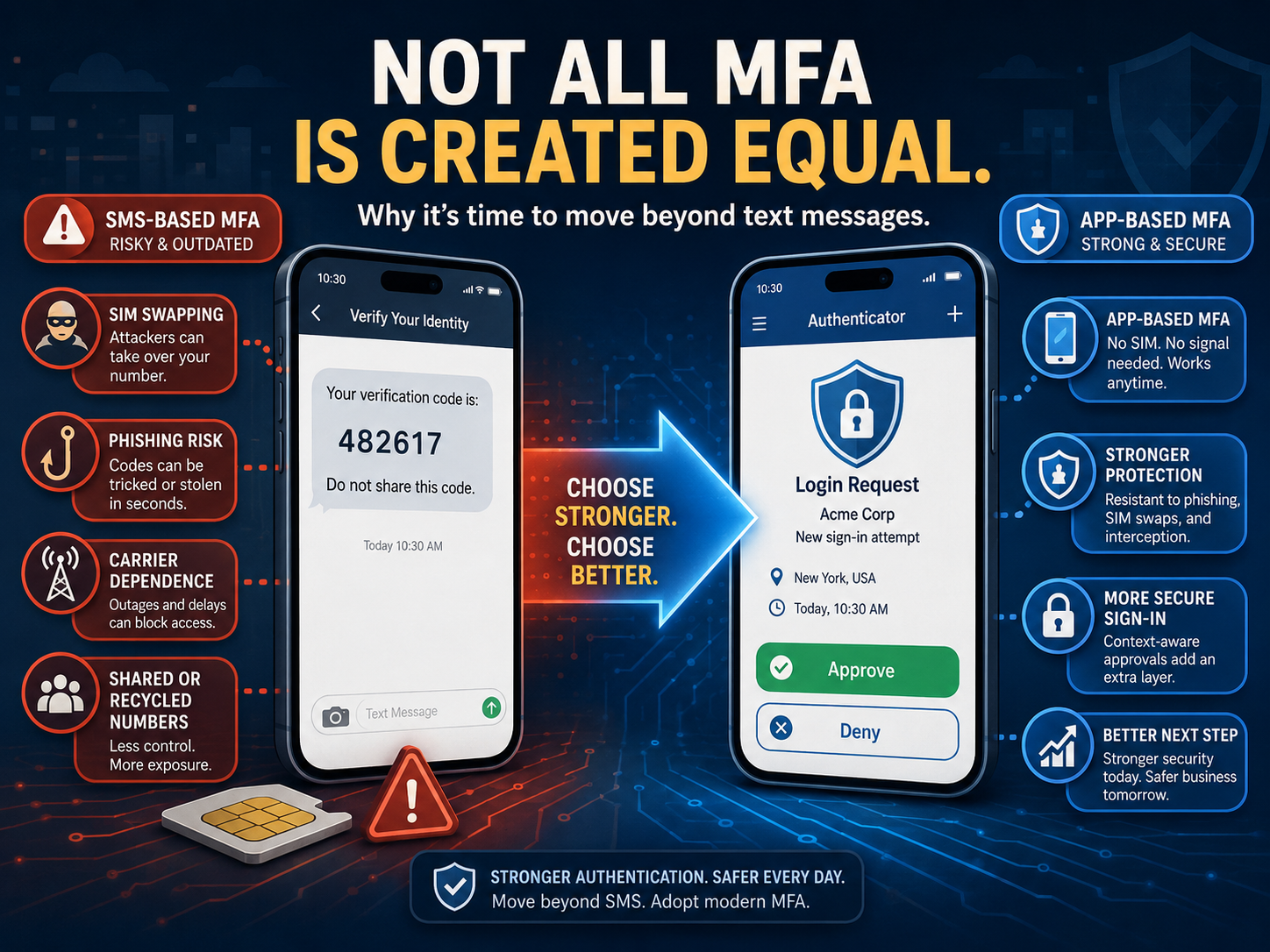
Many organizations still rely on text messages as their primary method of MFA. An employee enters a password, receives a six-digit code by text message, enters the code, and gains access.
It is familiar. It is convenient. And it is certainly better than relying on a password alone.
But SMS text messaging was never designed to be a highly secure authentication system. As cyberattacks have evolved, technology providers and security experts have increasingly encouraged organizations to move toward stronger authentication methods.
Microsoft is now taking another significant step in that direction.
Microsoft Is Moving Away from SMS and Voice Authentication
Microsoft recently announced changes to authentication within Microsoft Entra ID that organizations should begin preparing for now.
Starting September 1, 2026, Microsoft will begin making passkeys the default authentication experience for users currently enabled for SMS or voice authentication. Then, beginning February 1, 2027, Microsoft-provided SMS and voice delivery for authentication will be retired in Entra ID. Organizations that have a specific need to continue using these methods will have to use a supported third-party telecommunications provider.
This is not simply Microsoft trying to change the way employees sign in.
It reflects a larger shift happening throughout cybersecurity.
Microsoft has been encouraging organizations to move away from text messages and voice calls in favor of stronger methods such as Microsoft Authenticator, Windows Hello for Business, security keys, and increasingly, passkeys.
The reason is simple:
Your authentication method is part of your security strategy.
Why Is SMS Authentication Considered Less Secure?
When an authentication code arrives by text message, security depends partly on something outside your organization’s control: the cellular telephone network and the phone number associated with the employee.
That creates several potential weaknesses.
One of the most well-known is SIM swapping.
In a SIM swap attack, a criminal attempts to convince a mobile carrier to move a victim’s phone number to a SIM card or device controlled by the attacker. If successful, calls and text messages intended for the real employee may begin arriving on the criminal’s device instead.
That can include MFA codes.
The attacker may already have the employee’s username and password through phishing, a data breach, or another method. Taking control of the phone number can potentially give them the additional piece they need to access the account.
SIM swapping is significant enough that the Federal Communications Commission has adopted measures specifically intended to combat SIM-swap and port-out fraud.
There are other concerns as well.
Text messages can potentially be intercepted or redirected. Employees can also be tricked into entering text-message verification codes into convincing phishing websites. Phone numbers can change hands, be recycled, or remain associated with accounts after an employee changes numbers.
Even delivery itself depends on a telecommunications network that your organization does not control.
None of this means receiving an MFA code through text message provides no protection.
It does.
But today there are better options.
App-Based Authentication Is a Better Step
For many organizations, moving employees from SMS-based MFA to an authenticator application is a practical next step.
Instead of sending an authentication code through the cellular network, an authentication app such as Microsoft Authenticator provides the authentication experience directly through an application registered to the user.
Depending on how it is configured, an employee may be asked to approve a sign-in request, enter a number displayed on the login screen, or use another verification process.
This reduces the organization’s dependence on a text message being delivered to a particular phone number.
It also creates opportunities for additional security features.
For example, Microsoft Authenticator can use number matching, where employees must enter a number shown on the sign-in screen rather than simply clicking an Approve button.
That small change can make employees think more intentionally about the authentication request.
If you are sitting at dinner and your Authenticator app suddenly asks you to approve a Microsoft 365 login, there should be an immediate question:
Why am I being asked to approve this?
That moment of awareness matters.
But Even App-Based MFA Is Not the Finish Line
Cybersecurity continues to evolve.
Authenticator applications are generally a stronger choice than relying on SMS, but organizations should understand that even some traditional app-based MFA methods can still be targeted through sophisticated phishing attacks or repeated approval requests.
That is why Microsoft is increasingly emphasizing phishing-resistant authentication.
Methods such as passkeys, Windows Hello for Business, and FIDO2 security keys use cryptographic technology rather than simply sending or requesting a code. Microsoft specifically notes that passkeys are resistant to phishing, SIM-swap, and replay attacks.
Think of authentication as a progression:
Password only → SMS MFA → Authenticator App → Phishing-Resistant Authentication
Each step can provide stronger protection.
The goal should not be to make authentication complicated for employees.
The goal should be to use the strongest practical authentication method that creates the least unnecessary friction.
“But We Already Have MFA”
This is where organizations can easily develop a false sense of security.
Leadership asks:
“Do we have MFA enabled?”
The answer is yes.
The box gets checked.
But a better conversation is:
“What type of MFA are we using?”
You may discover that most employees are still receiving text messages.
You may find some users have Microsoft Authenticator while others use SMS.
There may be service accounts, administrative accounts, or executives using different authentication methods.
Or employees may have several methods registered without anyone having reviewed which methods should actually be allowed.
Enabling MFA was an important first step.
Now organizations need to begin thinking about MFA maturity.
A Good Time to Review Your Authentication Strategy
Microsoft’s upcoming changes create a natural opportunity for organizations to review how employees authenticate across Microsoft 365.
This does not need to become a complicated project.
Start with a few simple questions:
- How many employees are still using SMS or voice authentication?
- Are employees already enrolled in Microsoft Authenticator?
- Are stronger methods available but simply not being used?
- Are administrative accounts protected differently from standard user accounts?
- Are older or unnecessary authentication methods still enabled?
- Could passkeys or Windows Hello for Business make sense for your organization?
- Do employees understand what to do when they receive an authentication request they did not initiate?
Most importantly, do not wait until an employee is forced to change their authentication method during an important workday.
A thoughtful transition gives your team time to communicate the change, help employees enroll correctly, answer questions, and minimize frustration.